CMMS Reporting
Make More Informed, Insights Driven Decisions


How CMMS Reporting Works?
01
Data Input
02
Data Storage
03
Report Generation
04
Create Custom Reports
05
Standard Reports
06
Dashboards
07
Analysis and Decision-Making
08
Report Distribution
Features of CMMS Reporting
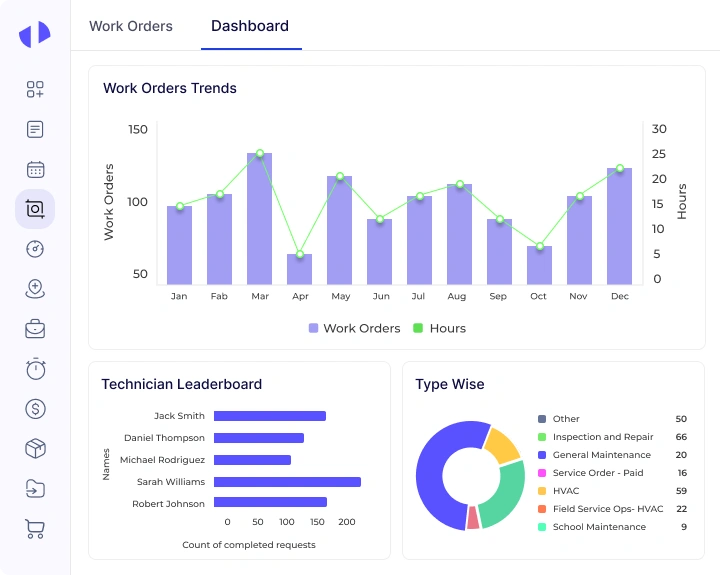
Monitor Work Order Timelines and Efficiency
- Track completion time, response time, delays and SLA breaches
- Monitor open, in-progress, and overdue work orders
- View technician-level job performance metrics
- Analyze work volumes across assets and locations
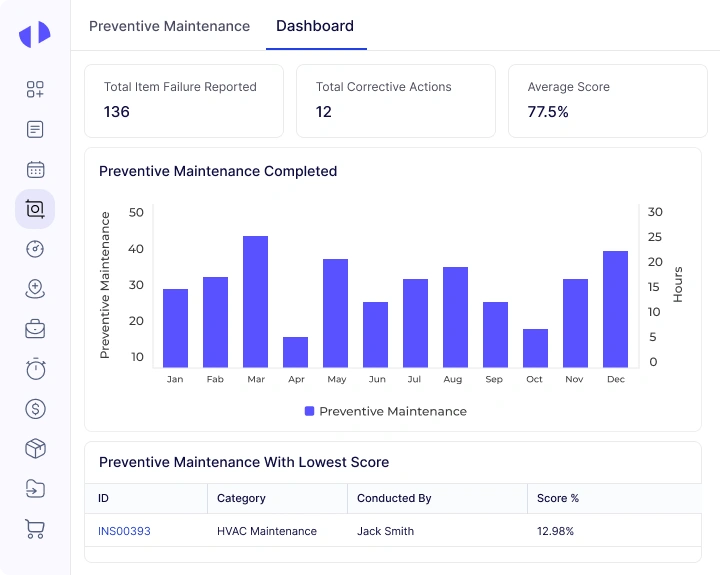
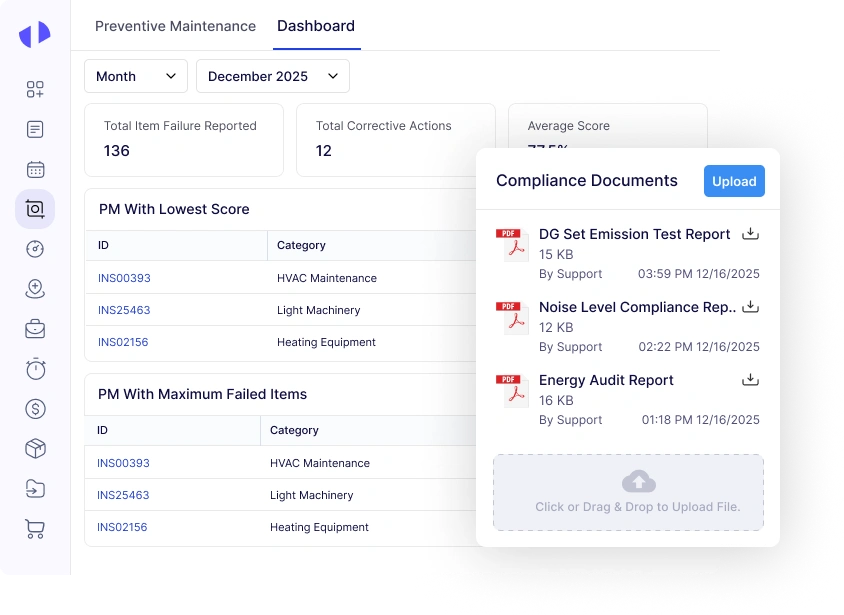
Track PM Compliance Across Sites
- Track PM completion vs overdue and upcoming tasks
- View compliance percentages by site or asset
- Identify missed or skipped PM activities
- Monitor schedule adherence across teams
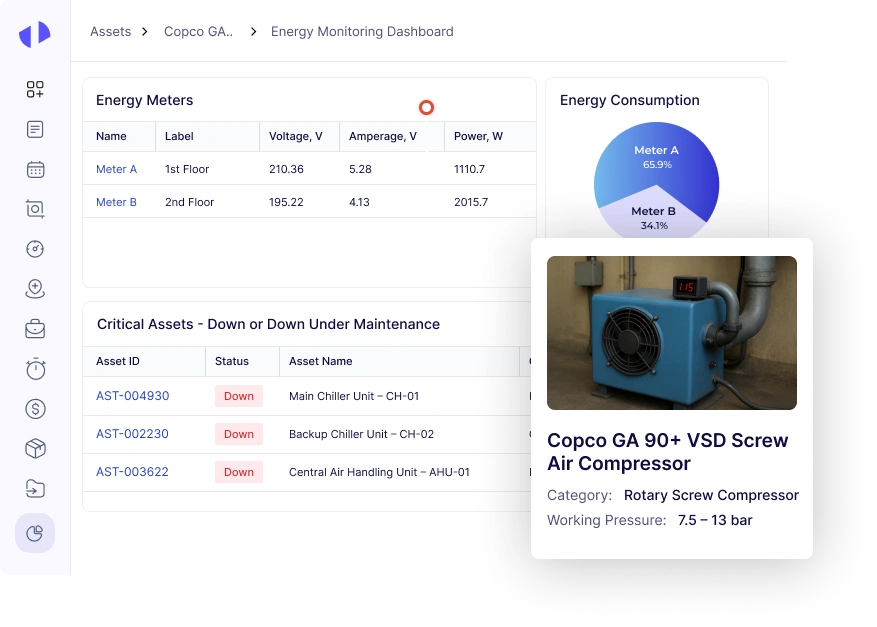
Analyze Asset Reliability Trends and Downtime Patterns
- Track MTTR, MTBF and failure frequency
- Log downtime reason codes and durations
- View reliability trends across critical assets
- Analyze fault and breakdown patterns
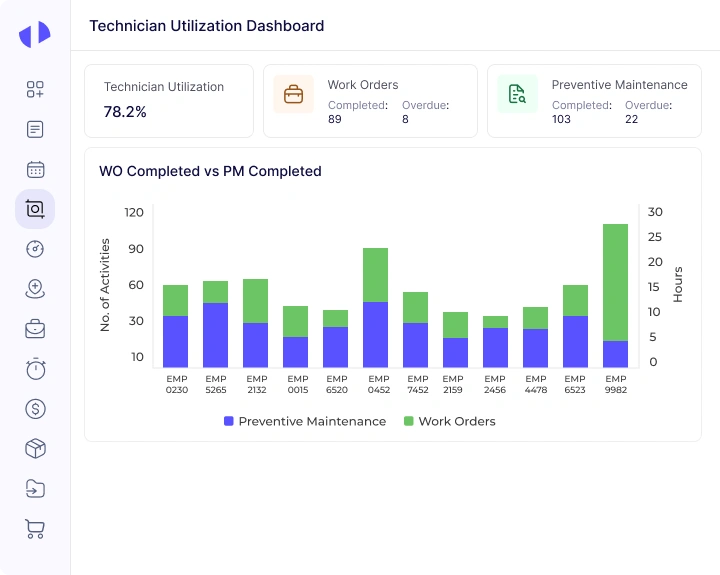
Measure Technician Workload and Productivity Insights
- Monitor workload utilization and job counts
- Track time spent per task or job stage
- Compare performance across technicians or teams
- View shift-level productivity summaries
Track Parts Usage and Inventory Consumption Trends
- Track part usage per work order and asset
- View stock turnover and consumption patterns
- Identify high-usage or slow-moving items
- Log issued and returned parts accurately
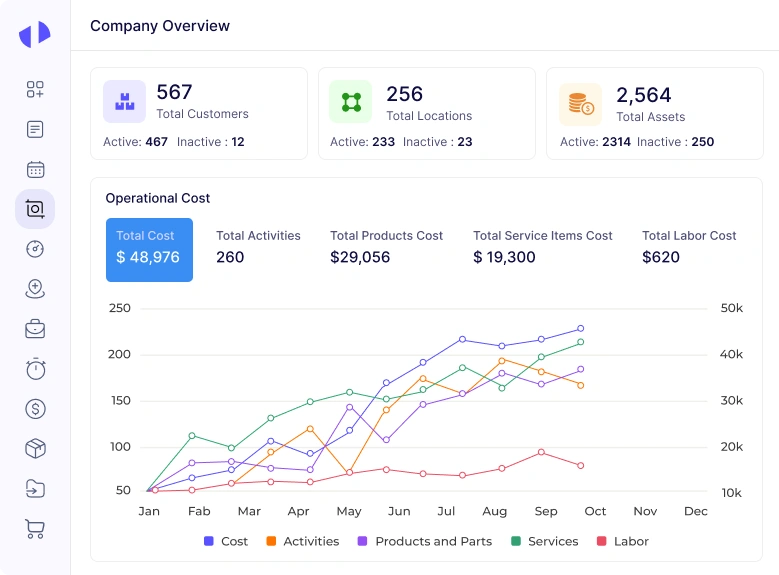
Monitor Maintenance Costs by Job and Asset
- Track labor, parts and total cost per job
- View cost trends by asset, site or category
- Record cost entries against work orders
- Monitor budget vs actual maintenance spend
Maintain Audit-Ready Logs for All Activities
- Maintain logs for inspections, PMs and work orders
- Track approvals, status changes, and user actions
- Store compliance-related documents and records
- Generate audit-ready maintenance activity reports
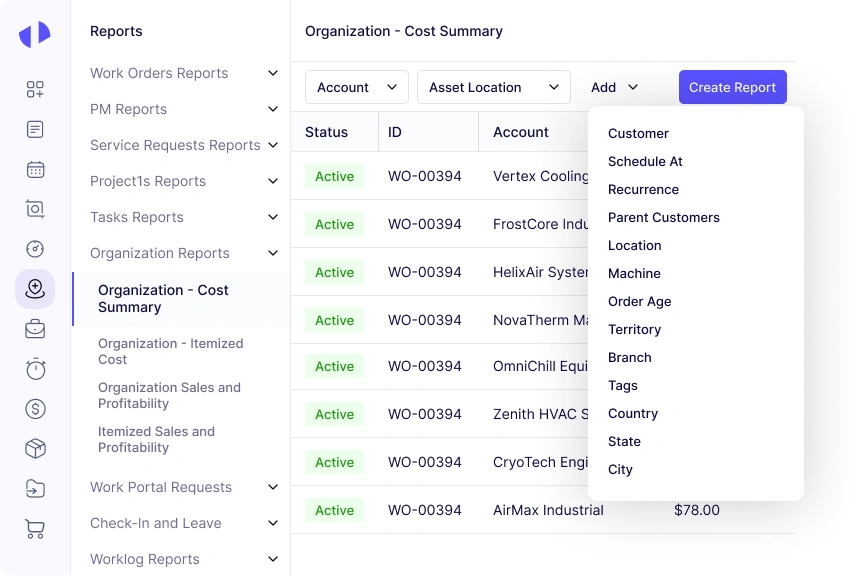
Create Custom Reports and Dashboards Instantly
- Export reports in PDF, Excel or CSV formats
- Create dashboards using various parameters
- Customize report filters and time ranges
- Save report templates for recurring use
The Impact of CMMS Reporting on Maintenance Management
Zapium’s CMMS Reporting revolutionizes maintenance management by providing a range of impactful benefits,
which are as follows:
Enhanced Decision-Making
Improved Asset Reliability and Longevity
Increased Efficiency
Streamlined processes and real-time insights enable maintenance teams to operate more efficiently, reducing response times and improving overall workflow productivity.
Compliance and Risk Management
Cost Savings and Reduced Downtime
Organizations can minimize downtime by optimizing maintenance schedules and identifying potential issues
early by implementing our CMMS Reporting, saving time and money.
Better Planning and Scheduling
Strategic Maintenance Management
What Sets Zapium’s CMMS Reporting Apart from Others?
User-Friendly Interface
Comprehensive Data Integration
Advanced Analytics and Insights
Customizable and Flexible Reporting
Real-Time Reporting
Enhanced Preventive and Predictive Maintenance Reports
Industries That Can Benefit From Our CMMS Reporting
Construction
Track mining equipment, schedule inspections, and maintain safety standards with our maintenance application.
What Our Customers Say About Our CMMS Reporting
Followed are some of the reasons why businesses choose a professional FSM like Zapium over other products:
Zapium’s CMMS has helped our 120+ location assisted living operations move from scattered maintenance processes to a more organized, system-driven process. We can now understand priorities, identify where work is building up, and make more informed decisions faster.
For the first time, we can see what’s happening across all our communities without chasing updates.
Earlier, our operations team relied on fragmented updates from stores and vendors. After implementation of Zapium’s multi-store CMMS for restaurants, they gained centralized control over every location.
Zapium’s product team worked with optimizing their system to our workflows to manage ops, inventory, vendor and internal ops team. Their CMMS with field team capabilities has been super helpful in running our operations seamlessly.
Zapium’s asset management and CMMS have been critical to our audit operations processes. We now have complete clarity on our client’s asset registry, breakdown data, cost-related insights, and total cost of ownership.
Narayan Kella
The Right CMMS for Our Business. Transformed the way we manage service requests and tickets now.
Businesses that Trust Us for CMMS Reporting
Cushman & Wakefield
Cushman & Wakefield improves customer experience, profitability, and vendor collaboration using Zapium
Yourspace
YourSpace partners with Zapium to achieve service operations excellence leading to higher profitability and customer experience.
Nicco Engineering
Speciality maintenance service provider achieves more agile, transparent, and resilient service operations with Zapium.
TSI Power
Security & Privacy
Secure and Ready to Help You Scale
Top-rated on G2 for great customer support
Based on 150+ reviews
Secure, Trusted and Ready to Help You Scale
Designed with security at its core, enabling seamless and confident scaling as your operations grow.
Top-rated on Capterra for Ease-of-use
Based on 100+ reviews
Book a 15 mins walkthrough
Frequently Asked Questions (FAQs)
Quick answer to questions you may have.
What types of reports can I generate with Zapium’s CMMS?
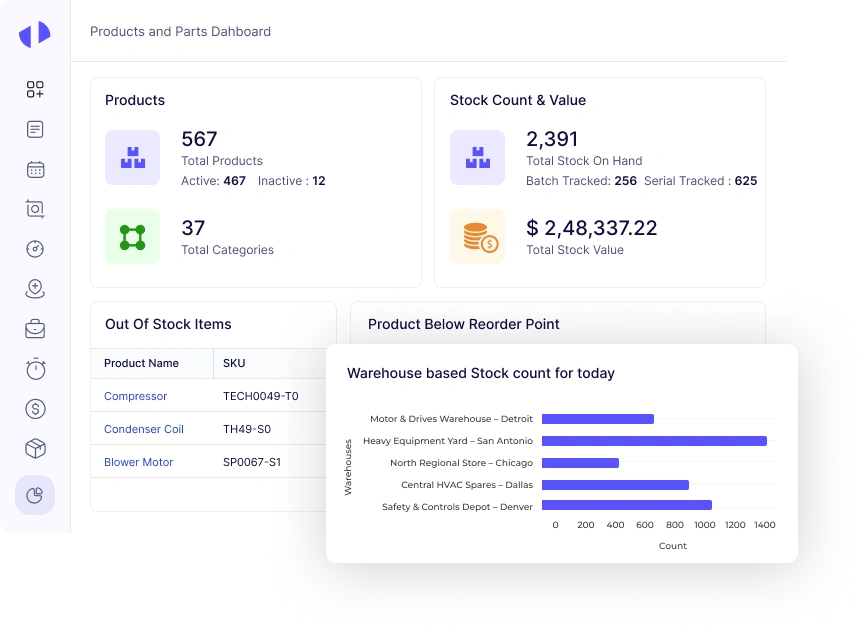
Our CMMS reporting allows you to generate various types of reports, including:
- Work Order Reports
- Asset Performance Reports
- Preventive and Predictive Maintenance Reports
- Inventory and Spare Parts Reports
- Labor and Cost Analysis Reports
- Compliance and Safety Reports
- Custom Reports tailored to your specific needs
Can I customize the reports in Zapium’s CMMS?
How does it provide real-time reporting?
Can I access Zapium’s CMMS reports on mobile devices?
Does Zapium’s CMMS reporting support automated report scheduling?
What integration options are available with Zapium’s CMMS?
Zapium’s CMMS supports integration with various systems, including:
- IoT devices and sensors for real-time data collection
- ERP systems for consolidated data management
- Third-party software for seamless workflow integration